
How to narrow locale path and canonical conflicts
A page can look fine in the browser and still send conflicting URL signals to search engines. One locale path opens, another path redirects, and the canonical points somewhere else. Nothing seems catastrophically broken, but the site is quietly telling three different stories about the same page.
That is why locale and canonical problems often feel slippery. The issue is not always visible as a 404 or a broken layout. It shows up as ambiguity about which URL should be treated as the real one.
This post is about narrowing that ambiguity quickly. The goal is not to solve every international SEO problem at once. The goal is to compare the first three signals that usually reveal where the conflict begins.
1. The common mistake is checking canonical alone
Many people inspect the canonical tag first, see a plausible value, and move on. That is too narrow. Canonical matters, but it only tells part of the story.
If the live locale path, redirect behavior, and canonical target do not agree, the page is still sending mixed instructions. Looking at only one layer often hides the mismatch instead of surfacing it.
2. Start by comparing the page URL, the canonical target, and the redirect behavior together
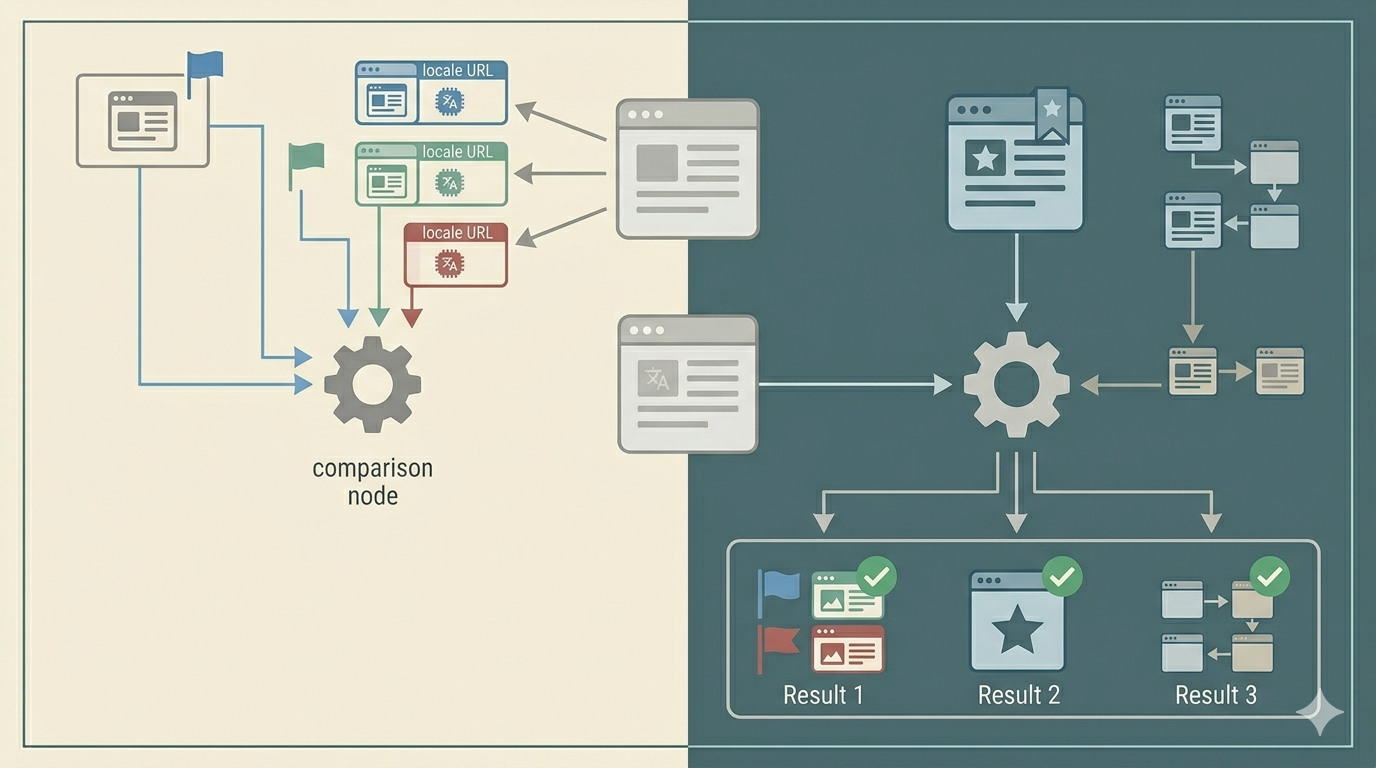
This is the main diagnostic move. Before changing templates or route config, put these three signals side by side.
First, what URL is the page actually opening on? Second, what URL does the canonical declare as preferred? Third, does any locale or base route redirect somewhere else before the canonical is even read? Those three checks often reveal whether the conflict lives in route generation, canonical logic, or redirect policy.
This matters because the symptoms can mislead you. A page may open successfully at /ko/path/, but the canonical may point to a root-language version. Or the root path may redirect into a locale path while the canonical points back out again. That kind of loop does not always break the page for a person, but it creates a weak signal system.
Once you compare those three layers together, the debugging gets calmer. You stop asking “why is search confused?” in the abstract and start asking which instruction is disagreeing with the others. That is a much smaller and more useful question.
3. Check these three things before changing templates
- Which locale URL is actually serving the page right now?
- What exact URL does the canonical point to?
- Does any redirect send the user or crawler to a different preferred path first?
4. A common failure pattern is a page that opens in one locale but canonicals to another
Imagine a Korean page that opens correctly under a /ko/ path, but its canonical points to the default-language route. Or imagine a default-language route that immediately redirects into a locale-specific path while the canonical still insists the root version is preferred. Those are not small differences. They are competing identity signals.
The same tension appears when locale routes are generated correctly but redirects were left behind from an earlier structure. Then the page, canonical, and redirect each describe a different preferred URL. The page feels fine in a browser, but the signal model is unstable.
5. Add prevention after the fix
Once the conflict is identified, do not stop at the repair. Add one simple verification habit: whenever a locale route changes, check the live page URL, the canonical target, and the redirect behavior together. That small habit catches most repeat failures before they spread.
In real troubleshooting, prevention is often just a fixed comparison order repeated consistently.
What to do first
Open one affected page and write down three exact URLs side by side: the live page URL, the canonical target, and the first redirect target if one exists. If those three URLs do not describe the same preferred route family, treat it as a URL-signal conflict before changing anything deeper.